CollegeWear, Inc. Department Stole Order Guide
Looking for simpler way to get your custom grad stoles ordered for your department or group? Check out our step-by-step guide below for information about placing your custom stole order with your campus.
Getting Started: 3 Easy Steps
Step 1
Create Your Stole Design
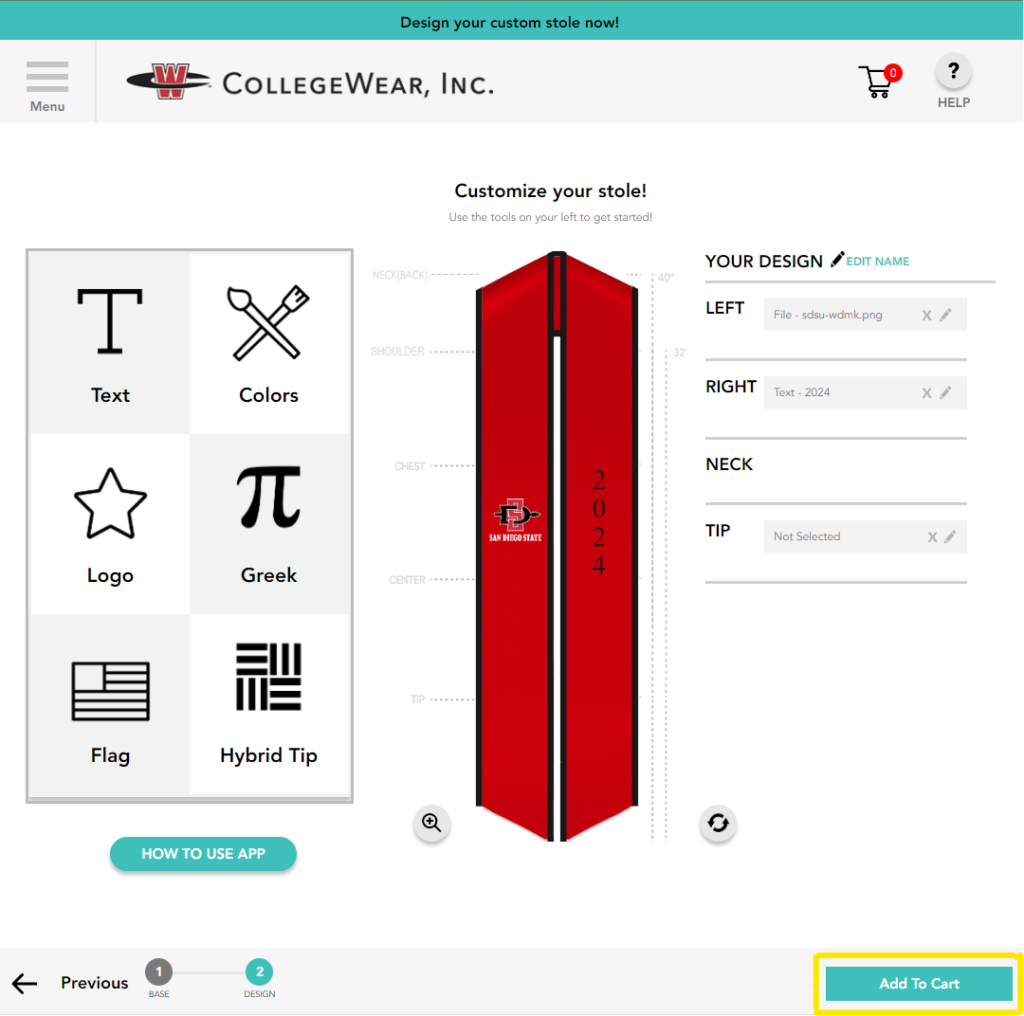
Use our Stole Design Tool to create the perfect stole(s) for your department, group, or organization. You can select your base fabric, trim colors, add text, logos, flags and more!
Check out our Tutorial Video for tips on how to use our design tool.
Step 2
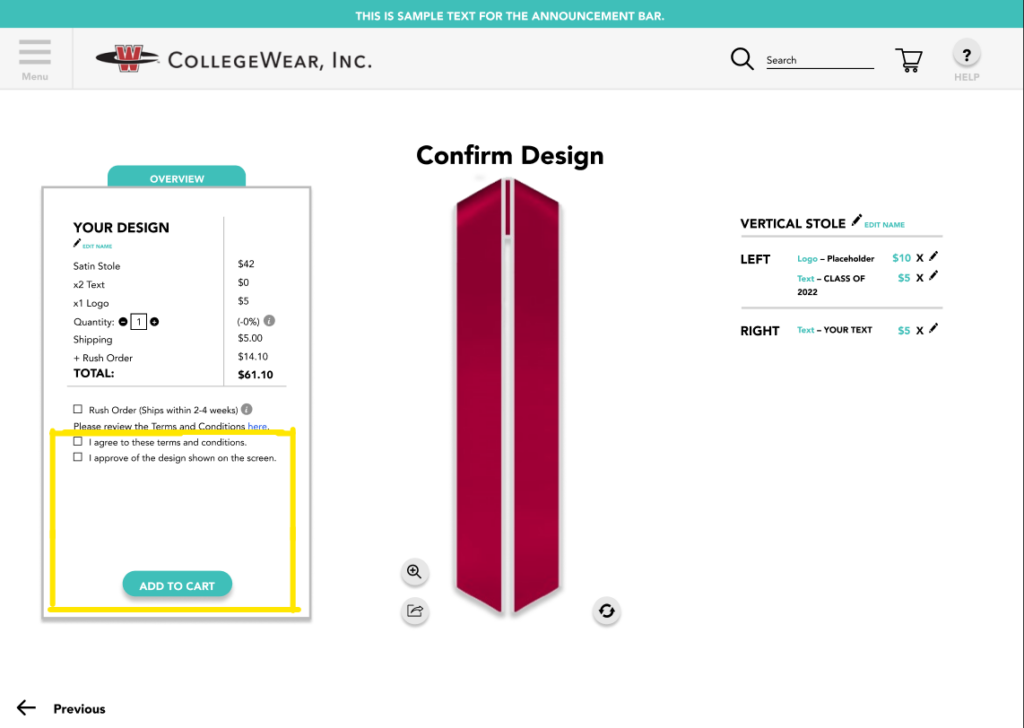
Add your stole design to your cart
Once you’ve finished creating your stole design(s), simply click ‘Add to Cart’ & then proceed to checkout.
**Note** You are not being charged during this step; please disregard the retail pricing as shown in your cart at checkout and instead refer to the campus store for final pricing.
Step 3
Submit Designs To Your Campus
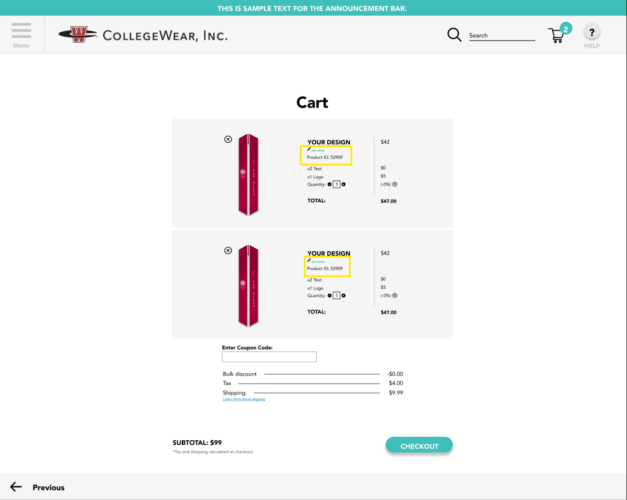
Once you’ve added your stole to cart and have proceeded to checkout, you will find your Product ID(s) which is required when you submit your stole order request.
Use the Design Submission form below to submit your order request. The campus store will contact you directly to process the order after receiving the request.
Submit An Order Request
Submit your design(s) and await contact from the campus store for next steps.
Why our customers ♥ working with us.
Free Shipping
On all qualifying orders
Great For Photos
Photoshoots and more
No Minimum Order
Order as you wish
Group Discounts
For any larger orders
Officially Licensed
CLC & Affinity
Schools Served